Introduction
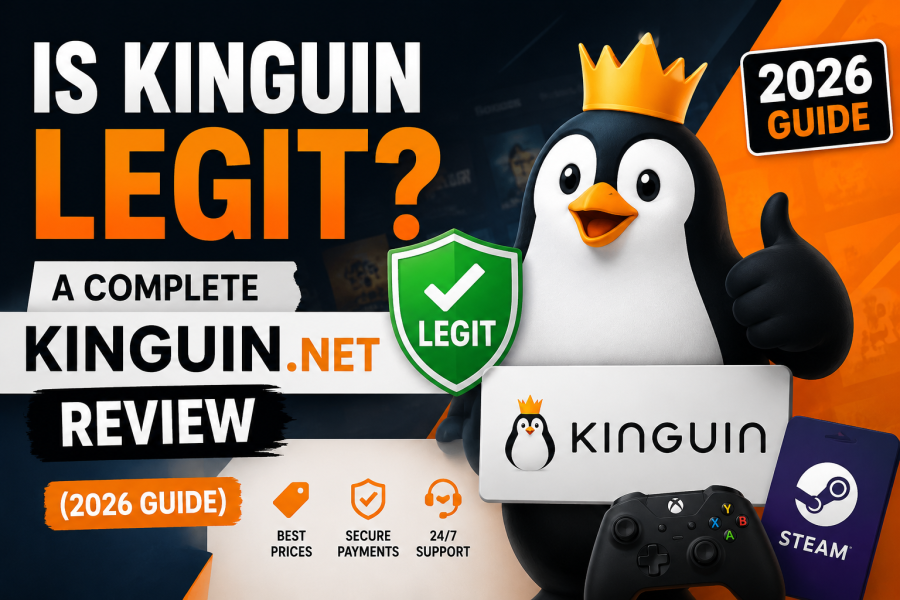
If you have ever searched for a cheaper way to buy PC games, Windows licenses, or gift cards, chances are you have come across Kinguin.net. With prices that are often 30 -70% lower than official storefronts, Kinguin has become one of the most visited digital marketplaces in the world – but it has also earned a reputation that makes cautious shoppers pause before entering their card details.
In this guide, we break down exactly how Kinguin works, whether it’s safe to use in 2026, what protections you actually get, and how to avoid the few situations where buyers do run into trouble. By the end, you’ll know whether Kinguin is the right place for your next game or software key.
What Is Kinguin?
Kinguin is a digital marketplace – not a game publisher – that connects buyers with third-party sellers offering digital product keys. Think of it less like an official game store and more like an eBay for software licenses: Kinguin hosts the platform, processes payments, and enforces marketplace rules, while independent merchants list the actual keys for sale.
This marketplace model is exactly why prices on Kinguin can undercut Steam, the Microsoft Store, or Origin so significantly. Sellers source keys in bulk, from regional pricing differences, or through legitimate B2B distribution deals, and pass the savings on to buyers.
What You Can Buy on Kinguin
- PC game keys (Steam, Epic Games, Origin/EA App, Ubisoft Connect, GOG)
- Software licenses (Windows 10/11, Microsoft Office)
- Gift cards (Steam Wallet, Xbox, PlayStation Store, Google Play)
- Subscriptions (game passes, VPNs, streaming services)
- In-game currency and DLC
Is Kinguin Safe and Legit?
The short answer: Yes, Kinguin itself is a legitimate, established company, operating since 2013 and processing millions of transactions. However, because it is a marketplace rather than a single retailer, “safety” depends heavily on which seller you buy from, not just the platform itself.
Why Some Buyers Report Problems
Most negative reviews about Kinguin trace back to one of these scenarios:
- Third-party sellers, not Kinguin directly, provide a key that turns out to be region-locked, already used, or revoked by the publisher.
- Buyers skip Buyer Protection to save a small fee, then have no recourse if a key fails.
- Grey-market keys – legally sourced but originally intended for a different region – get flagged or banned by anti-cheat or DRM systems in rare cases.
None of these issues are unique to Kinguin; they are inherent risks of any third-party key marketplace, including competitors. The key difference is whether the platform gives you a real way to get your money back – and this is where Kinguin’s core safety feature comes in.
Kinguin Buyer Protection: What It Actually Covers
Buyer Protection is an optional add-on (typically a small percentage of your order) that acts as an insurance policy on your purchase. According to Kinguin’s own policy, it guarantees:
- A full refund or replacement key if the one you receive doesn’t work
- Coverage against keys that turn out to be already activated or invalid
- A dedicated support path that resolves faster than a standard dispute
Our recommendation: Always add Buyer Protection, especially on orders from sellers who don’t have a long transaction history or a high positive rating. The extra cost is usually just a dollar or two – a small price for guaranteed peace of mind.
How to Buy on Kinguin: Step-by-Step
- Search for your game or software using the search bar or category filters.
- Compare seller offers – each listing shows multiple sellers with different prices, ratings, and stock levels. Sort by “Best Price” or “Top Seller.”
- Check the seller’s rating – look for sellers with a 95%+ positive rating and a high number of completed sales.
- Add Buyer Protection at checkout (highly recommended for new sellers).
- Choose your payment method – Kinguin supports credit/debit cards, PayPal, Skrill, and various local payment methods depending on your country.
- Receive your key instantly in your Kinguin account or via email.
- Redeem the key on the correct platform (Steam, Epic Games, Microsoft, etc.).
How to Activate a Kinguin Key on Steam
- Open Steam and log in.
- Click the “+” button in the bottom-left corner of the client.
- Select “Activate a Product on Steam.”
- Enter the key exactly as shown in your Kinguin order.
- The game will download automatically to your library.
The process is nearly identical for Epic Games, Origin/EA App, and Ubisoft Connect – each platform has its own “Redeem Code” option in the account or library menu.
Kinguin vs. G2A vs. Official Stores
| Feature | Kinguin | G2A | Official Store (Steam/MS) |
|---|---|---|---|
| Typical price | Low–Medium | Low | Full price |
| Buyer protection | Optional add-on | Optional add-on | Built-in (platform-wide) |
| Seller model | Marketplace (3rd party) | Marketplace (3rd party) | Direct from publisher |
| Refund policy | Via Buyer Protection | Via shield program | Standard 14-day refund |
| Regional restrictions | Possible on some keys | Possible on some keys | Rare |
Bottom line: Kinguin and G2A operate on very similar models, and both are safe when Buyer Protection is used and sellers are vetted. Official stores remain the safest option overall but at a significantly higher price.
Tips to Avoid Problems on Kinguin
- Stick to sellers with a 95%+ rating and thousands of completed orders.
- Read the region restrictions listed on each product page before buying.
- Always enable Buyer Protection on your first few orders with a new seller.
- Use a secure payment method (PayPal or card, which offer their own dispute protections).
- Keep your order confirmation email until you’ve successfully activated the key.
Frequently Asked Questions
Is Kinguin an official retailer? No. Kinguin is a marketplace that hosts third-party sellers, similar to how Amazon hosts independent merchants.
Will I get banned for using a Kinguin key? Legitimate keys purchased through reputable, highly-rated sellers are extremely unlikely to result in a ban. Risk increases only with unverified sellers or keys explicitly marked as regionally restricted.
Does Kinguin ship physical products? No – Kinguin sells digital keys and codes only, delivered instantly to your account or email. There is no physical shipping involved.
Can I get a refund on Kinguin? Refunds are guaranteed when you purchase Buyer Protection. Without it, refund eligibility depends on the individual seller’s policy.
Is Kinguin cheaper than Steam? Often yes, particularly for older titles or games from regions with lower regional pricing. Always compare the Kinguin price against the Steam sale price before buying.
Final Verdict: Should You Buy From Kinguin?
Kinguin is a legitimate, well-established marketplace that has served millions of customers since 2013. It is not inherently risky -but like any marketplace model, your experience depends on choosing reputable sellers and using the safety tools Kinguin provides, especially Buyer Protection. For budget-conscious gamers willing to spend two extra minutes checking seller ratings, Kinguin remains one of the most reliable ways to save money on games and software in 2026.